×
  • Home
  • Services
    • Web Development
    • Web3 and Smart Contracts
    • E-commerce Development
    • Mobile Development
    • PERN/MERN Stack
    • React App
    • Web Design
    • Technical Support
    • Branding & Identity
    • PSD/Figma to HTML
  • Portfolio
    • Web Development
    • MERN / PERN
    • WordPress
    • Web Design
    • E-Commerce
    • Landing Page
    • SEO optimization
    • Technical Support
    • Branding
    • Icons
    • Illustrations
    • Banner Ads
  • Download
    • PSD templates
    • HTML templates
    • Joomla themes
  • Blog
  • Support
  • Contact
☰
Novatio
  • Home
  • Services
    • Web Development
    • Web3 and Smart Contracts
    • E-commerce Development
    • Mobile Development
    • PERN/MERN Stack
    • React App
    • Web Design
    • Technical Support
    • Branding & Identity
    • PSD/Figma to HTML
  • Portfolio
    • Web Development
    • MERN / PERN
    • WordPress
    • Web Design
    • E-Commerce
    • Landing Page
    • SEO optimization
    • Technical Support
    • Branding
    • Icons
    • Illustrations
    • Banner Ads
  • Download
    • PSD templates
    • HTML templates
    • Joomla themes
  • Blog
  • Support
  • Contact
Order
  • About Us
  • Account
  • Blog
  • Charity
  • Clients
  • Contacts
  • Cost Calculator
  • Download Free
  • Hotel Website Template
  • My account
  • Order Packages
  • Our Clients Technical Support
  • Our Team
  • Portfolio of RAmonka Studio
  • Privacy Policy
  • Services
    • Advertising banners
    • Branding & Identity
    • Consulting & Strategy
    • Creation of Illustrations
    • E-commerce Development
    • iOS apps development
    • Mobile Development
    • Node.js development
    • Ongoing Tech Support
    • PERN/MERN Stack
    • PHP development
    • PSD/Figma to HTML
    • React App Development
    • SEO optimization
    • Web Design
    • Web3 and Smart Contracts
    • Web Development
  • Specifications
  • Statement of Work (SOW)
  • Web & Design Studio RAmonka

cross browser

Eight Basic Rules for Writing Cross-Browser HTML Code:
1) Validate the Code. Before uploading your site, you need to check the HTML and CSS code via validators.
2) Try to Keep the Site Structure as Simple as Possible.
3) Do Not Work with Browser Quirks Mode.
4) Use the CSS Reset Registers.
5) Use Firefox.
6) Testing.
7) Use Conditional Comments.
8) Make IE6 Compatible with PNG Format.

MedFund – free web design and HTML template for a medical centre in Israel
HTML Coding

MedFund – free web design and HTML template for a medical centre in Israel

~2,000 €
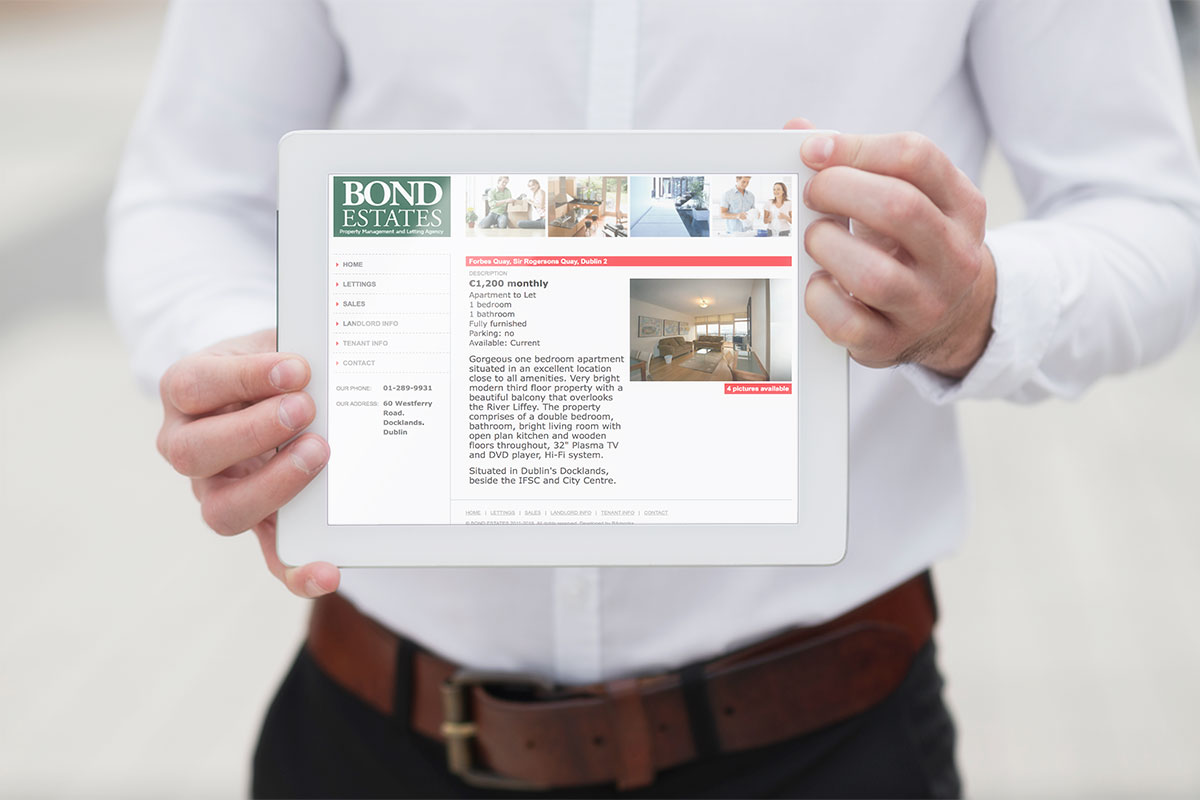
Bond – HTML template for a Property Management and Letting Agency
HTML Coding

Bond – HTML template for a Property Management and Letting Agency

Full Stack Web Development on CMS WebAsyst Shop-Script for Online Store of Clothes and Accessories for Winter Sports SnowBrands
Web Development

Full Stack Web Development on CMS WebAsyst Shop-Script for Online Store of Clothes and Accessories for Winter Sports SnowBrands

.DO YOU HAVE ANY QUESTIONS?

Feel Free to Contact Us!

    Our Clients Who Trust Us:
    Flyblox CryptoMoto Ben Campagna Kai Connor Fetchadate DownsFarms
    Real Art: Web & Design Studio RAmonka
    © 2005-2026 Real Art: Web & Design Studio RAmonka.
    All rights reserved.
    • RU

    Services

    • Statement of Work (SOW)
    • Web Development
    • Web3 and Smart Contracts
    • Web Design
    • PSD/Figma to HTML
    • Technical Support
    • Branding

    Company

    • About Us
    • Team
    • Portfolio
    • Support
    • Contacts
    • Clients
    • Charity

    Blog

    • Articles
    • News
    • Tutorials
    • WordPress
    • Web3

    Free Download

    • Premium Themes
    • PSD templates
    • HTML templates
    • Joomla themes
    • Privacy Policy